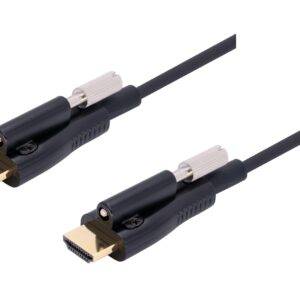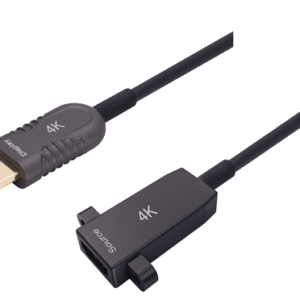


Armored HDMI 2.0 Type A to Micro HDMI (Type D) 80m (260ft) Active Optical Cable, 4K@60Hz, 18Gbps, Industrial Grade
Description
The armored HDMI 2.0 Type A to Micro HDMI (Type D) Active Optical Cable delivers stable 18Gbps 4K@60Hz transmission with a 500 kg crush-resistant stainless steel armored structure and industrial-grade TPU jacket, ensuring reliable HDMI connectivity in harsh and demanding environments.
• 18Gbps bandwidth supports stable 4K@60Hz HDMI 2.0 transmission
• 500 kg crush-resistant armored hybrid fiber structure
• Industrial TPU jacket for harsh environment applications
• Low-power active optical design, plug-and-play operation
• CE & FCC compliant for professional and industrial use
Specifications
Features & Specs
Measurements
Item Details
User Guide
Frequently Asked Questions
Armored” typically means the cable has reinforced construction — often including:rnrnMetal or braided shieldingrnrnStronger outer jacketrnrnExtra strain reliefrnrnBetter bend resistancernrnThe goal is increased durability, improved shielding against interference, and better protection in heavy-use or industrial environments. This can reduce signal dropouts and wear over time.
Longer HDMI cables can suffer from signal loss at higher resolutions. At lengths over ~10–15 meters (~30–50 ft), a better-shielded or active HDMI cable may be needed to reliably support 4K @ 60 Hz.rnrnArmored shielding improves resistance to interference but doesn’t guarantee performance over long runs without quality design.
Yes — this cable is designed to connect devices with Micro HDMI (Type D) outputs (e.g., cameras, tablets, compact devices) to displays or converters with Standard HDMI (Type A). Make sure your device supports full HDMI 2.0 signaling from its micro port.
✔ Bend Radius: Don’t sharply bend or kink the cable — optical fibers perform poorly with tight bends.rn✔ Orientation: Ensure correct source/display direction before routing through walls or conduits.rn✔ Connector Fit: Check the micro HDMI connection is fully seated — partial connections often cause signal issues.rn✔ Device Power: Some older devices may not supply enough HDMI power to drive active cables — in rare cases you may need a powered HDMI signal booster.
Often yes, but not guaranteed. Some HDMI splitters or switches may not supply enough power or proper HDCP/EDID handshake to the active optical cable, causing signal loss or reduced resolution. Always test your exact setup before permanent installation.