


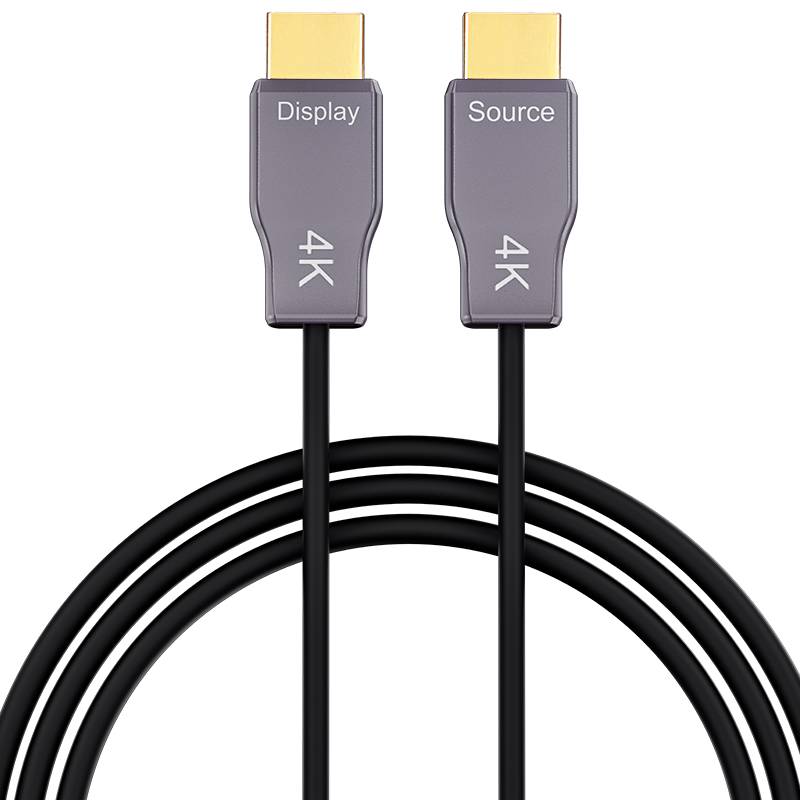
Ultra-Slim Armored HDMI 8K Type A to Type A 10m (33ft) Active Optical Cable, 8K@60Hz and 4k@120Hz, 48Gbps, Industrial Grade
Description
The super Ultra-Slim Armored Optic Fiber HDMI 8K Type A–A Active Optical Cable features an ultra-small Ø3.8 mm outer diameter combined with a crush-resistant armored structure, delivering stable 48Gbps 8K@60Hz and 4k@120Hz transmission for space-constrained and harsh-environment installations.
• 48Gbps bandwidth supports stable 8K@60Hz and 4k@120Hz HDMI 8K transmission
• Ultra-slim Ø3.8 mm outer diameter for tight routing spaces
• Armored hybrid fiber structure with high crush resistance
• Lightweight active optical design, plug-and-play
• CE & FCC compliant for professional and industrial use
Specifications
Features & Specs
Measurements
Item Details
User Guide
FAQs
SOURCE connects to the device transmitting the HDMI signal.rnExamples include a computer, game console, Blu-ray player, media player or set-top box. DISPLAY connects tornthe television, monitor or projector.Example receiving devices: television, monitor or projector.
Confirm cable direction and display input, reconnect both plugs, power-cycle the equipment andrntemporarily reduce the source resolution. Test the source and display with a known-good HDMI cable tornisolate the installation. If the issue remains, contact technical support
Identify SOURCE and DISPLAY, connect both devices, test the required resolution and refresh rate, thenrnroute the cable while maintaining a bend radius of at least 38 mm and avoiding excessive pulling.
Yes. The SSAC-9860 supports ARC, enhanced Audio Return Channel (eARC) and HDMI-CEC functions.rnFor audio return applications, connect the plug marked DISPLAY to the television and the plug marked SOURCE to thernAV receiver or soundbar. Both connected devices must support and enable the required ARC or eARC function.butrnthe Max Length is 15M.rnThe high-bandwidth FRL video path remains directional from SOURCE to DISPLAY, while the ARC/eARC return-audiornand HDMI-CEC control channels operate in the required reverse or bidirectional path.rnEnable ARC/eARC and HDMI-CEC in the device menus. For eARC systems, select the appropriate digital-audio outputrnor pass-through mode when required by the television and audio equipment.
Handle the SSAC-9860 carefully during routing. Avoid sharp bends, kinks, twisting, pinching and excessive pulling. Maintain a long-term bending radius of at least 38 mm, and never use the HDMI connector or its contacts as a pulling point.rnKeep both connectors clean and dry, protect them from dust and moisture, and avoid touching the contacts to reduce the risk of electrostatic damage. Test the cable at the required resolution and refresh rate before routing and again after installation.rnThe stainless-steel spiral armor and TPU jacket provide additional mechanical protection, but careful handling is still required to protect the internal optical fibers and conductors.