


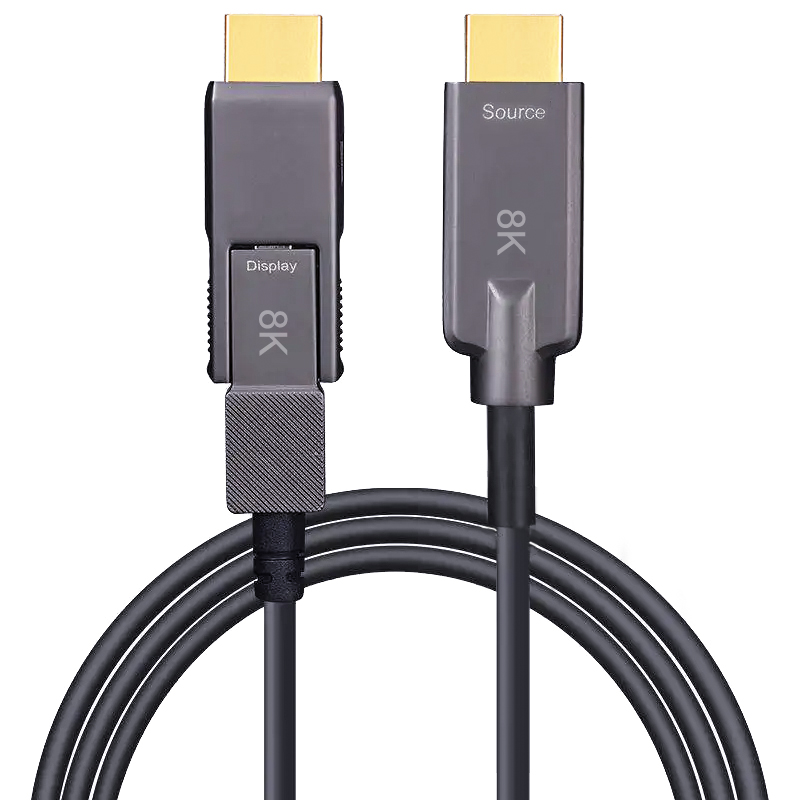
Armored HDMI 8K Type A to Micro HDMI (Type D) 70m (230ft) Active Optical Cable, 8K@60Hz and 4K@120Hz, 48Gbps, Industrial Grade
Description
Engineered for ultra-long, high-resolution links between a conventional HDMI source and a compact Micro HDMI device, this 70 m armored HDMI Type A to Type D active optical cable delivers the 48Gbps channel capacity associated with 8K@60Hz and 4K@120Hz video. Optical transmission keeps high-bandwidth signals stable over 230 ft and isolates them from EMI/RFI, while the armored construction provides extra protection for permanent industrial routes, event infrastructure and equipment exposed to installation stress. The Type D destination connector is well suited to cameras, medical displays, embedded controllers and compact monitoring hardware. Compared with the 40 m HDMI 4K A-to-D model, this version extends the reach, raises bandwidth from 18Gbps to 48Gbps and supports high-frame-rate 4K workflows where motion detail matters.
- HDMI Type A to Type D connection for standard sources and compact display or camera hardware
- 48Gbps bandwidth supporting 8K@60Hz and 4K@120Hz over 70 m (230 ft)
- Armored hybrid-fiber build protects the optical path in demanding installations
- Low-loss optical transmission with strong immunity to electromagnetic interference
- Designed for high-frame-rate production, medical imaging, industrial control and large AV systems
Specifications
Features & Specs
Measurements
Item Details
User Guide
FAQs
A black screen at 4K@120Hz may occur if the source device, display, or HDMI port does not fully support HDMI 2.1 bandwidth (48Gbps). Ensure both devices support HDMI 2.1 and that the correct HDMI port is being used.
Active Optical HDMI cables contain built-in signal conversion chips. Some HDMI extenders, splitters, or switches may interfere with the signal path or fail to provide enough power, causing compatibility issues.
HDMI AOC cables convert electrical signals to optical signals and back again.rnBecause of this internal electronics design, the cable has a Source end and Display end, which must be connected correctly.
Possible reasons include:rnrnCable connected in the wrong directionrnrnHDMI port does not provide sufficient powerrnrnDevice firmware compatibility issuesrnrnNon-HDMI 2.1 compatible portsrnrnReconnecting the cable and verifying port compatibility usually resolves the issue.
Yes. The Micro HDMI (Type D) connector is commonly used on devices such as:rnrnDSLR camerasrnrnMirrorless camerasrnrnDronesrnrnAction camerasrnrnEmbedded industrial camerasrnrnThis cable enables long-distance transmission from these devices to monitors or video systems.